
Home
Opik is an open-source platform that helps you understand what your LLM application is doing, measure how well it's working, and systematically make it better. Whether you're building a chatbot, a RAG pipeline, or a multi-step agent, Opik gives you the tools to go from "it works on my laptop" to "it works reliably in production."
End-to-End AI Engineering
Section titled “End-to-End AI Engineering”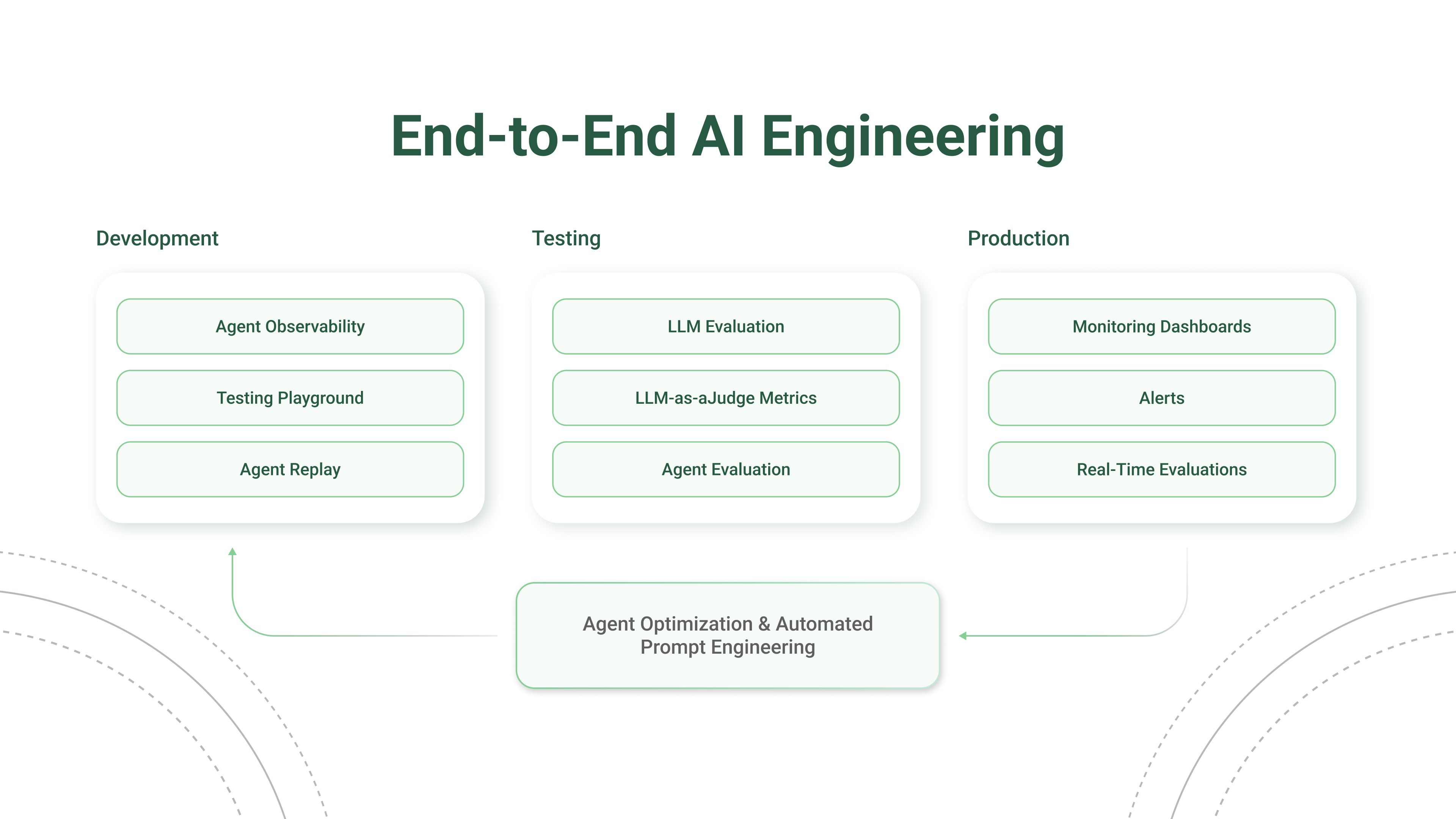
How to use Opik
Section titled “How to use Opik”See what your application is doing
Opik records every LLM call, tool invocation, and agent step so you can inspect the full chain of events that led to any output. Add a few lines of code and you'll have a complete log of every request and response.
Build test suites from your traces
When you spot a trace that looks wrong, turn it into a test case. Use Ollie to do this automatically (just describe what went wrong), or add test cases through the UI or SDK. Then run your test suite with Ollie or from the SDK to verify your fixes.
Over time, your test suite grows from real production failures, not hypothetical examples.
Track quality in production
Set up online evaluation rules that automatically score incoming traces, and monitor feedback scores, latency, cost, and error rates from the project dashboard.
Automatically improve your prompts
Opik's optimization algorithms test variations of your prompts against your metrics and datasets to find what works best, without manual trial and error.
Explore by feature
Section titled “Explore by feature”Quickstart
Get Opik running with your existing AI stack in minutes. Works with OpenAI, Anthropic, LangChain, and 50+ other providers and frameworks.
MCP Server
Connect Claude Code, Cursor, VS Code Copilot, Codex, or opencode directly to your Opik workspace. Read traces, score outputs, and run experiments from chat — no UI required.
Log traces
Record every LLM call, tool invocation, and agent step. Debug failures, track token costs, and understand what your application is doing.
Evaluate performance
Score your application on hallucination, context recall, relevance, and more using automated LLM-as-a-judge and heuristic metrics.
Optimize prompts
Automatically generate and test better prompts for every step in your agent using six optimization algorithms.
Store and version your prompts, compare results in the Prompt Playground, and experiment with different models.
Self-host Opik
Deploy on your own infrastructure with Docker locally or Kubernetes at scale. Full control over your data.
See it in action
Section titled “See it in action”Open-source access meets enterprise performance
Section titled “Open-source access meets enterprise performance”All Opik versions (cloud, open source, and enterprise) include the full AI engineering feature set and run on the Comet platform, with proven performance at scale supporting many of the world's largest organizations.