
Observability for LiteLLM with Opik
LiteLLM allows you to call all LLM APIs using the OpenAI format [Bedrock, Huggingface, VertexAI, TogetherAI, Azure, OpenAI, Groq etc.]. There are two main ways to use LiteLLM:
- Using the LiteLLM Python SDK
- Using the LiteLLM Proxy Server (LLM Gateway)
Account Setup
Section titled “Account Setup”Comet provides a hosted version of the Opik platform, simply create an account and grab your API Key.
You can also run the Opik platform locally, see the installation guide for more information.
Getting Started
Section titled “Getting Started”Installation
Section titled “Installation”First, ensure you have both opik and litellm packages installed:
pip install opik litellmConfiguring Opik
Section titled “Configuring Opik”Configure the Opik Python SDK for your deployment type. See the Python SDK Configuration guide for detailed instructions on:
- CLI configuration:
opik configure - Code configuration:
opik.configure() - Self-hosted vs Cloud vs Enterprise setup
- Configuration files and environment variables
Configuring LiteLLM
Section titled “Configuring LiteLLM”In order to use LiteLLM, you will need to configure your LLM provider API keys. For this example, we'll use OpenAI. You can find or create your API keys in these pages:
You can set them as environment variables:
export OPENAI_API_KEY="YOUR_API_KEY"Or set them programmatically:
import os
import getpass

if "OPENAI_API_KEY" not in os.environ:
    os.environ["OPENAI_API_KEY"] = getpass.getpass("Enter your OpenAI API key: ")
Using Opik with the LiteLLM Python SDK
Section titled “Using Opik with the LiteLLM Python SDK”Logging LLM calls
Section titled “Logging LLM calls”In order to log the LLM calls to Opik, you will need to create the OpikLogger callback. Once the OpikLogger callback is created and added to LiteLLM, you can make calls to LiteLLM as you normally would:
from litellm.integrations.opik.opik import OpikLogger
import litellm
import os

# Set project name for better organization
os.environ["OPIK_PROJECT_NAME"] = "litellm-integration-demo"

opik_logger = OpikLogger()
litellm.callbacks = [opik_logger]

response = litellm.completion(
    model="gpt-3.5-turbo",
    messages=[
        {"role": "user", "content": "Why is tracking and evaluation of LLMs important?"}
    ]
)

print(response.choices[0].message.content)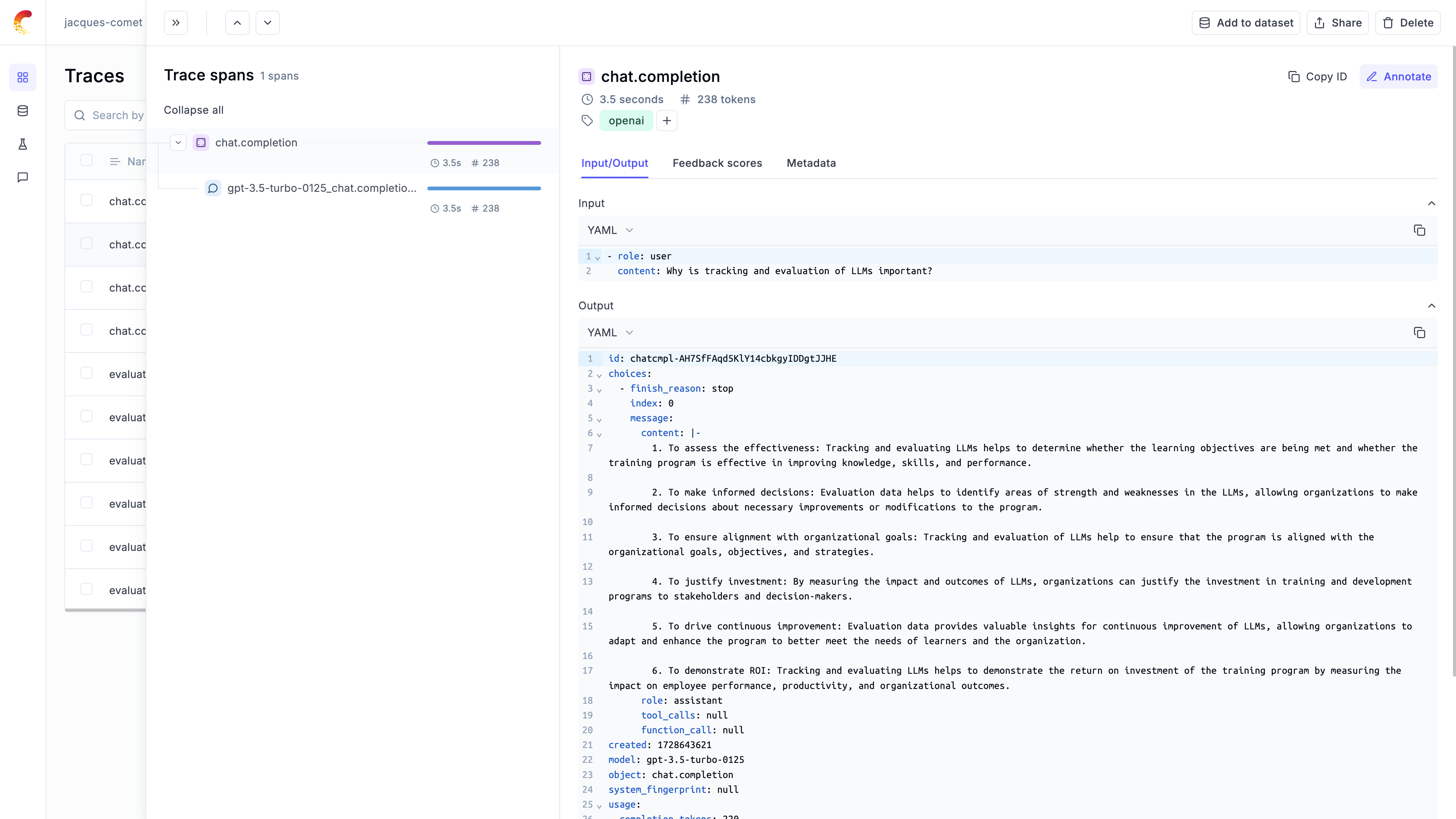
Logging LLM calls within a tracked function
Section titled “Logging LLM calls within a tracked function”If you are using LiteLLM within a function tracked with the @track decorator, you will need to pass the current_span_data as metadata to the litellm.completion call:
from opik import track
from opik.opik_context import get_current_span_data
from litellm.integrations.opik.opik import OpikLogger
import litellm

opik_logger = OpikLogger()
litellm.callbacks = [opik_logger]

@track
def streaming_function(input):
    messages = [{"role": "user", "content": input}]
    response = litellm.completion(
        model="gpt-3.5-turbo",
        messages=messages,
        metadata = {
            "opik": {
                "current_span_data": get_current_span_data(),
                "tags": ["streaming-test"],
            },
        }
    )
    return response

response = streaming_function("Why is tracking and evaluation of LLMs important?")
chunks = list(response)
Using Opik with the LiteLLM Proxy Server
Section titled “Using Opik with the LiteLLM Proxy Server”Configuring the LiteLLM Proxy Server
Section titled “Configuring the LiteLLM Proxy Server”In order to configure the Opik logging, you will need to update the litellm_settings section in the LiteLLM config.yaml config file:
model_list:
  - model_name: gpt-4o
    litellm_params:
      model: gpt-4o
litellm_settings:
  success_callback: ["opik"]
You can now start the LiteLLM Proxy Server and all LLM calls will be logged to Opik:
litellm --config config.yamlUsing the LiteLLM Proxy Server
Section titled “Using the LiteLLM Proxy Server”Each API call made to the LiteLLM Proxy server will now be logged to Opik:
curl -X POST http://localhost:4000/v1/chat/completions -H 'Authorization: Bearer sk-1234' -H "Content-Type: application/json" -d '{
    "model": "gpt-4o",
    "messages": [
        {
            "role": "user",
            "content": "Hello!"
        }
    ]
}'