
Getting started with the Prompt Library
Your agent depends on prompts that change frequently. The Prompt Library lets you manage them outside your codebase, version each change automatically, and link the exact version that ran to its trace.
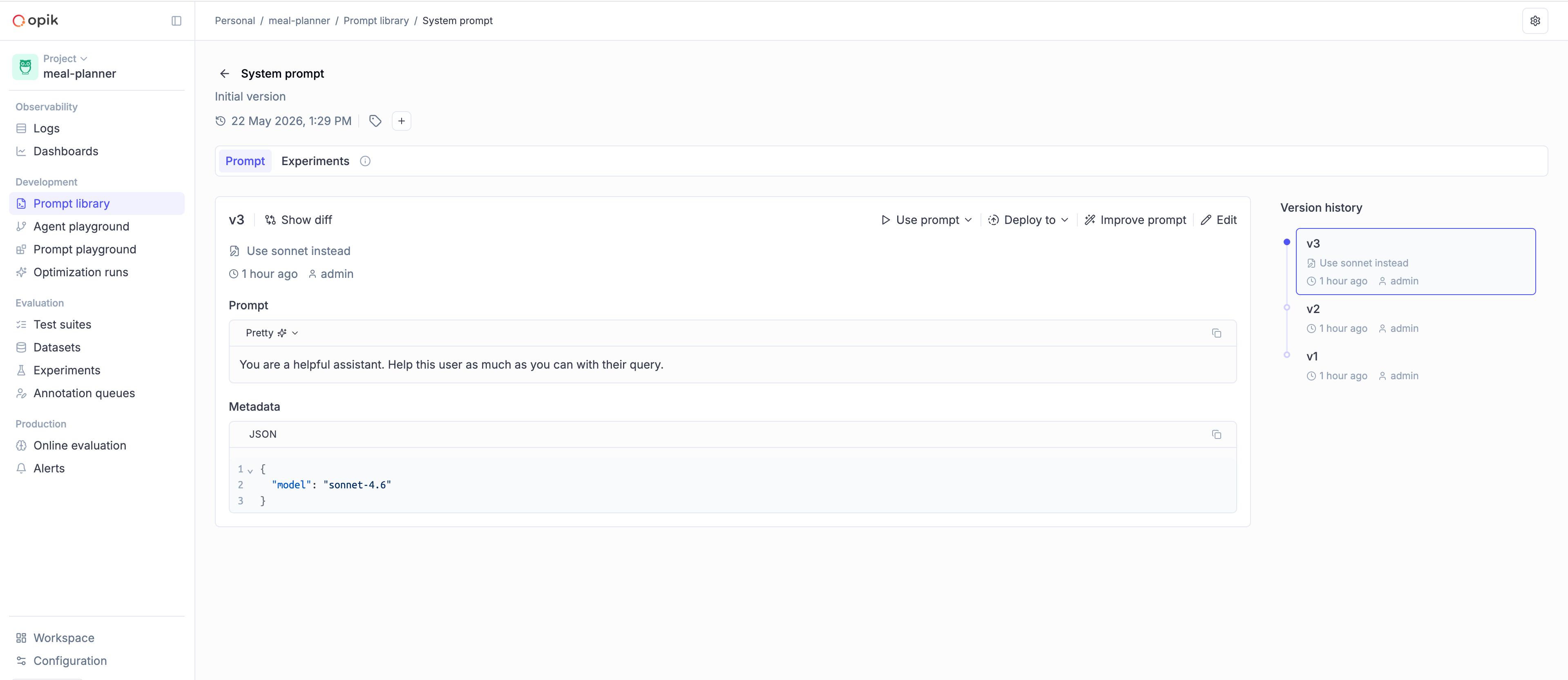
Adding the Prompt Library to your code
Section titled “Adding the Prompt Library to your code”You can use the Opik skills to wire your existing agent up to the Prompt Library:
Install the Opik skill
Bash npx skills add comet-ml/opik-skillsThis skill is compatible with all coding agents including Claude Code, Codex, Cursor, OpenCode and more.
Run the integration
Once the skill is installed, you can integrate with Opik using the following prompt:
Version my prompts in Opik using the /opik-instrument command.
There are two parts: you create a prompt, and then you fetch it at runtime from inside your agent.
Step 1 — Define and push your first prompt
Push the prompt to Opik. You only do this once (or whenever you want to create a new version from code).
import opik

client = opik.Opik()

client.create_prompt(
    name="system_prompt",
    prompt="You are a helpful assistant specializing in {{domain}}.",
    project_name="my-agent",
)import { Opik } from "opik";
const client = new Opik();
await client.createPrompt({
name: "system_prompt",
prompt: "You are a helpful assistant specializing in {{domain}}.",
projectName: "my-agent",
});Step 2 — Fetch your prompt at runtime
Use get_prompt / getPrompt inside your agent to pull the version you want and render it
with your runtime values.
import opik

client = opik.Opik()

@opik.track(project_name="my-agent")
def run_agent(user_input: str):
    prompt = client.get_prompt(
        name="system_prompt",
        project_name="my-agent",
    )

    system_prompt = prompt.format(domain="customer support")

    response = call_llm(
        model="gpt-4o-mini",
        system_prompt=system_prompt,
        user_input=user_input,
    )
return responseimport { Opik, track } from "opik";
const client = new Opik();
const runAgent = track(
{ name: "run_agent", projectName: "my-agent" },
async (userInput: string) => {
const prompt = await client.getPrompt({
name: "system_prompt",
projectName: "my-agent",
});
const systemPrompt = prompt?.format({ domain: "customer support" });
const response = await callLlm({
model: "gpt-4o-mini",
systemPrompt,
userInput,
});
return response;
},
);Choosing a version
Section titled “Choosing a version”Pass the version parameter to control which version is returned:
- Omit
version(default) — The most recently created version. Useful when you want the agent to pick up new prompt edits automatically. "v3"(or anyv<N>name) — A specific version. Useful when you want the prompt to stay fixed regardless of newer edits — for example, when reproducing a past run or comparing versions.
# Fetch a specific version
v3 = client.get_prompt(name="system_prompt", version="v3", project_name="my-agent")

# Fetch the most recent version (omit `version`)
latest = client.get_prompt(name="system_prompt", project_name="my-agent")// Fetch a specific version
const v3 = await client.getPrompt({
name: "system_prompt",
version: "v3",
projectName: "my-agent",
});
// Fetch the most recent version (omit `version`)
const latest = await client.getPrompt({
name: "system_prompt",
projectName: "my-agent",
});Chat prompts
Section titled “Chat prompts”For multi-turn agents with system, user, and assistant roles, use create_chat_prompt /
createChatPrompt and the matching get_chat_prompt / getChatPrompt. See
Text and chat prompts for a deeper comparison,
multimodal content, and template engines.
client.create_chat_prompt(
    name="support_assistant",
    messages=[
        {"role": "system", "content": "You are a helpful support agent for {{company}}."},
        {"role": "user", "content": "{{user_query}}"},
    ],
    project_name="my-agent",
)

chat_prompt = client.get_chat_prompt(
    name="support_assistant",
    version="v3",
    project_name="my-agent",
)

messages = chat_prompt.format(
    variables={"company": "Acme", "user_query": "How do I reset my password?"},
)await client.createChatPrompt({
name: "support_assistant",
messages: [
{ role: "system", content: "You are a helpful support agent for {{company}}." },
{ role: "user", content: "{{user_query}}" },
],
projectName: "my-agent",
});
const chatPrompt = await client.getChatPrompt({
name: "support_assistant",
version: "v3",
projectName: "my-agent",
});
const messages = chatPrompt?.format({
company: "Acme",
user_query: "How do I reset my password?",
});