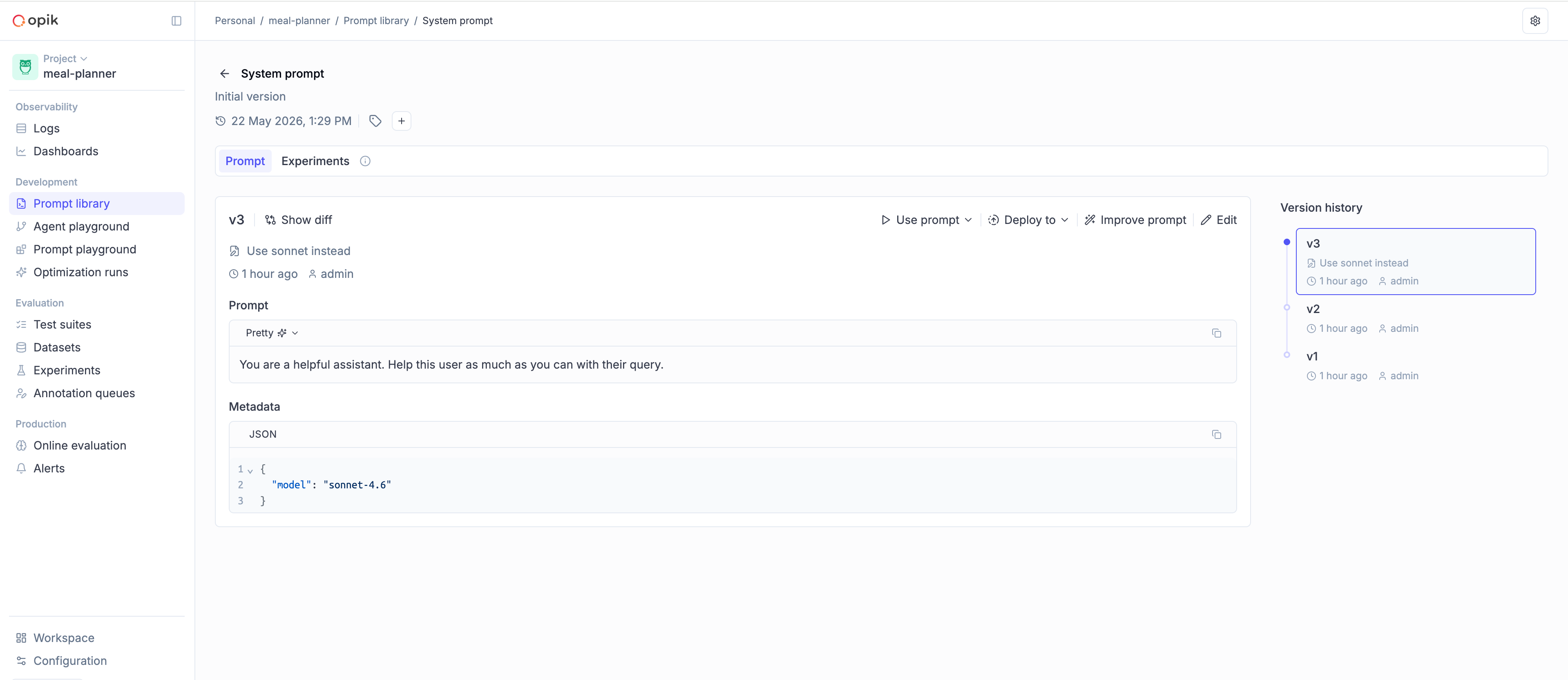
Version control
Every change to a prompt in the Prompt Library creates a new immutable version, numbered
sequentially as v1, v2, v3, … Once created, a version can't be modified — you always have
a full audit trail.
You can create new versions from the Opik UI or from code using the SDK.
Creating a new version
Section titled “Creating a new version”To create a new version from the Opik platform:
- Navigate to the Prompt Library for your project
- Open the prompt you want to edit
- Click Edit and update the template
- Click Create new version
The new version is available immediately.
Call create_prompt (or create_chat_prompt) again with the same name and the updated
template — the SDK creates the next sequential version automatically:
import opik

client = opik.Opik()

# v1
client.create_prompt(
    name="system_prompt",
    prompt="You are a helpful assistant.",
    project_name="my-agent",
)

# v2
client.create_prompt(
    name="system_prompt",
    prompt="You are a coding assistant specializing in {{language}}.",
    project_name="my-agent",
)
If the template is identical to the latest version, no new version is created.
Call createPrompt (or createChatPrompt) again with the same name and the updated
template — the SDK creates the next sequential version automatically:
import { Opik } from "opik";

const client = new Opik();

// v1
await client.createPrompt({
  name: "system_prompt",
  prompt: "You are a helpful assistant.",
  projectName: "my-agent",
});

// v2
await client.createPrompt({
  name: "system_prompt",
  prompt: "You are a coding assistant specializing in {{language}}.",
  projectName: "my-agent",
});
If the template is identical to the latest version, no new version is created.
Fetching a specific version
Section titled “Fetching a specific version”Pass the version parameter to fetch a specific version, or omit it to fetch the most recent:
import opik

client = opik.Opik()

# Fetch a specific version
v3 = client.get_prompt(name="system_prompt", version="v3", project_name="my-agent")

# Fetch the most recent version (omit `version`)
latest = client.get_prompt(name="system_prompt", project_name="my-agent")import { Opik } from "opik";
const client = new Opik();
// Fetch a specific version
const v3 = await client.getPrompt({
name: "system_prompt",
version: "v3",
projectName: "my-agent",
});
// Fetch the most recent version (omit `version`)
const latest = await client.getPrompt({
name: "system_prompt",
projectName: "my-agent",
});Comparing versions
Section titled “Comparing versions”You can compare any two versions side-by-side in the Opik UI to see exactly what changed. This is useful for reviewing changes before pointing your agent at a new version.