
Observability for AG2 with Opik
AG2 is an open-source programming framework for building AI agents and facilitating cooperation among multiple agents to solve tasks.
AG2's primary advantage is its multi-agent conversation patterns and autonomous workflows, making it ideal for complex tasks that require collaboration between specialized agents with different roles and capabilities.
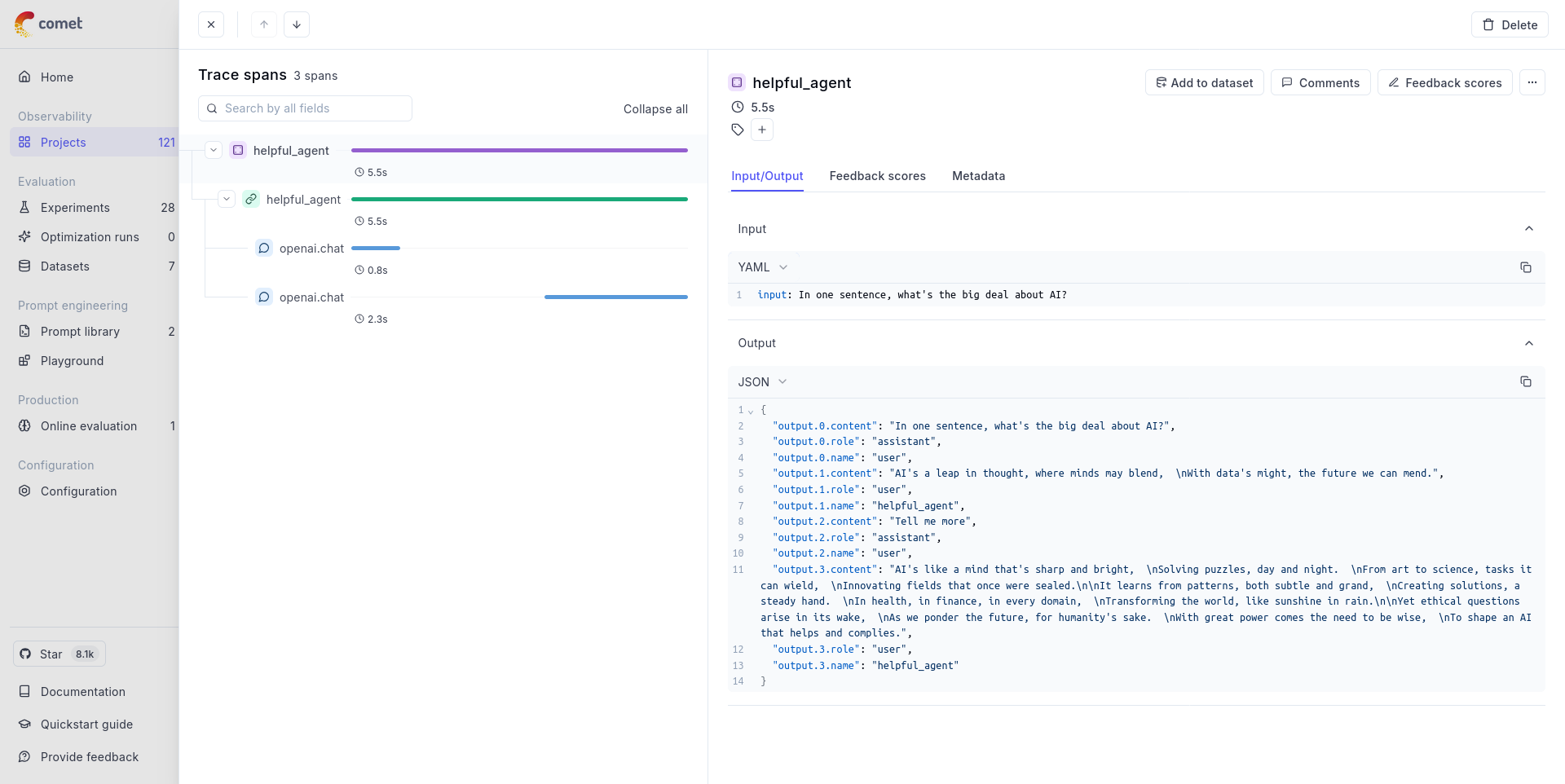
Getting started
Section titled “Getting started”To use the AG2 integration with Opik, you will need to have the following packages installed:
pip install -U "ag2[openai]" opik opentelemetry-sdk opentelemetry-instrumentation-openai opentelemetry-instrumentation-threading opentelemetry-exporter-otlpIn addition, you will need to set the following environment variables to configure the OpenTelemetry integration:
If you are using Opik Cloud, you will need to set the following environment variables:
export OTEL_EXPORTER_OTLP_ENDPOINT=https://www.comet.com/opik/api/v1/private/otel
export OTEL_EXPORTER_OTLP_HEADERS='Authorization=<your-api-key>,Comet-Workspace=default'If you are using an Enterprise deployment of Opik, you will need to set the following environment variables:
export OTEL_EXPORTER_OTLP_ENDPOINT=https://<comet-deployment-url>/opik/api/v1/private/otel
export OTEL_EXPORTER_OTLP_HEADERS='Authorization=<your-api-key>,Comet-Workspace=default'If you are self-hosting Opik, you will need to set the following environment variables:
export OTEL_EXPORTER_OTLP_ENDPOINT=http://localhost:5173/api/v1/private/otelUsing Opik with AG2
Section titled “Using Opik with AG2”The example below shows how to use the AG2 integration with Opik:
## First we will configure the OpenTelemetry
from opentelemetry import trace
from opentelemetry.exporter.otlp.proto.http.trace_exporter import OTLPSpanExporter
from opentelemetry.sdk.resources import Resource
from opentelemetry.sdk.trace import TracerProvider
from opentelemetry.sdk.trace.export import BatchSpanProcessor
from opentelemetry.instrumentation.openai import OpenAIInstrumentor
from opentelemetry.instrumentation.threading import ThreadingInstrumentor


def setup_telemetry():
    """Configure OpenTelemetry with HTTP exporter"""
    # Create a resource with service name and other metadata
    resource = Resource.create(
        {
            "service.name": "ag2-demo",
            "service.version": "1.0.0",
            "deployment.environment": "development",
        }
    )

    # Create TracerProvider with the resource
    provider = TracerProvider(resource=resource)

    # Create BatchSpanProcessor with OTLPSpanExporter
    processor = BatchSpanProcessor(OTLPSpanExporter())
    provider.add_span_processor(processor)

    # Set the TracerProvider
    trace.set_tracer_provider(provider)

    tracer = trace.get_tracer(__name__)

    # Instrument OpenAI calls
    OpenAIInstrumentor().instrument(tracer_provider=provider)

    # AG2 calls OpenAI in background threads, propagate the context so all spans ends up in the same trace
    ThreadingInstrumentor().instrument()

    return tracer, provider


# 1. Import our agent class
from autogen import ConversableAgent, LLMConfig

# 2. Define our LLM configuration for OpenAI's GPT-4o mini
#    uses the OPENAI_API_KEY environment variable
llm_config = LLMConfig(api_type="openai", model="gpt-4o-mini")

# 3. Create our LLM agent within the parent span context
with llm_config:
    my_agent = ConversableAgent(
        name="helpful_agent",
        system_message="You are a poetic AI assistant, respond in rhyme.",
    )


def main(message):
    response = my_agent.run(message=message, max_turns=2, user_input=True)

    # 5. Iterate through the chat automatically with console output
    response.process()

    # 6. Print the chat
    print(response.messages)

    return response.messages


if __name__ == "__main__":
    tracer, provider = setup_telemetry()

    # 4. Run the agent with a prompt
    with tracer.start_as_current_span(my_agent.name) as agent_span:
        message = "In one sentence, what's the big deal about AI?"

        agent_span.set_attribute("input", message)  # Manually log the question

        response = main(message)

        # Manually log the response
        agent_span.set_attribute("output", response)

    # Force flush all spans to ensure they are exported
    provider = trace.get_tracer_provider()
    provider.force_flush()
Further improvements
Section titled “Further improvements”If you would like to see us improve this integration, simply open a new feature request on Github.