
Observability for Microsoft Agent Framework (Python) with Opik
Microsoft Agent Framework is a comprehensive multi-language framework for building, orchestrating, and deploying AI agents and multi-agent workflows with support for both Python and .NET implementations.
The framework provides everything from simple chat agents to complex multi-agent workflows with graph-based orchestration, built-in OpenTelemetry integration for distributed tracing and monitoring, and a flexible middleware system for request/response processing.
Account Setup
Section titled “Account Setup”Comet provides a hosted version of the Opik platform, simply create an account and grab your API Key.
You can also run the Opik platform locally, see the installation guide for more information.
Getting started
Section titled “Getting started”To use the Microsoft Agent Framework integration with Opik, you will need to have the Agent Framework and the required OpenTelemetry packages installed:
pip install --pre agent-framework opentelemetry-api opentelemetry-sdk opentelemetry-exporter-otlpIn addition, you will need to set the following environment variables to configure OpenTelemetry to send data to Opik:
If you are using Opik Cloud, you will need to set the following environment variables:
export OTEL_EXPORTER_OTLP_ENDPOINT=https://www.comet.com/opik/api/v1/private/otel
export OTEL_EXPORTER_OTLP_HEADERS='Authorization=<your-api-key>,Comet-Workspace=default'If you are using an Enterprise deployment of Opik, you will need to set the following environment variables:
export OTEL_EXPORTER_OTLP_ENDPOINT=https://<comet-deployment-url>/opik/api/v1/private/otel
export OTEL_EXPORTER_OTLP_HEADERS='Authorization=<your-api-key>,Comet-Workspace=default'If you are self-hosting Opik, you will need to set the following environment variables:
export OTEL_EXPORTER_OTLP_ENDPOINT=http://localhost:5173/api/v1/private/otelUsing Opik with Microsoft Agent Framework
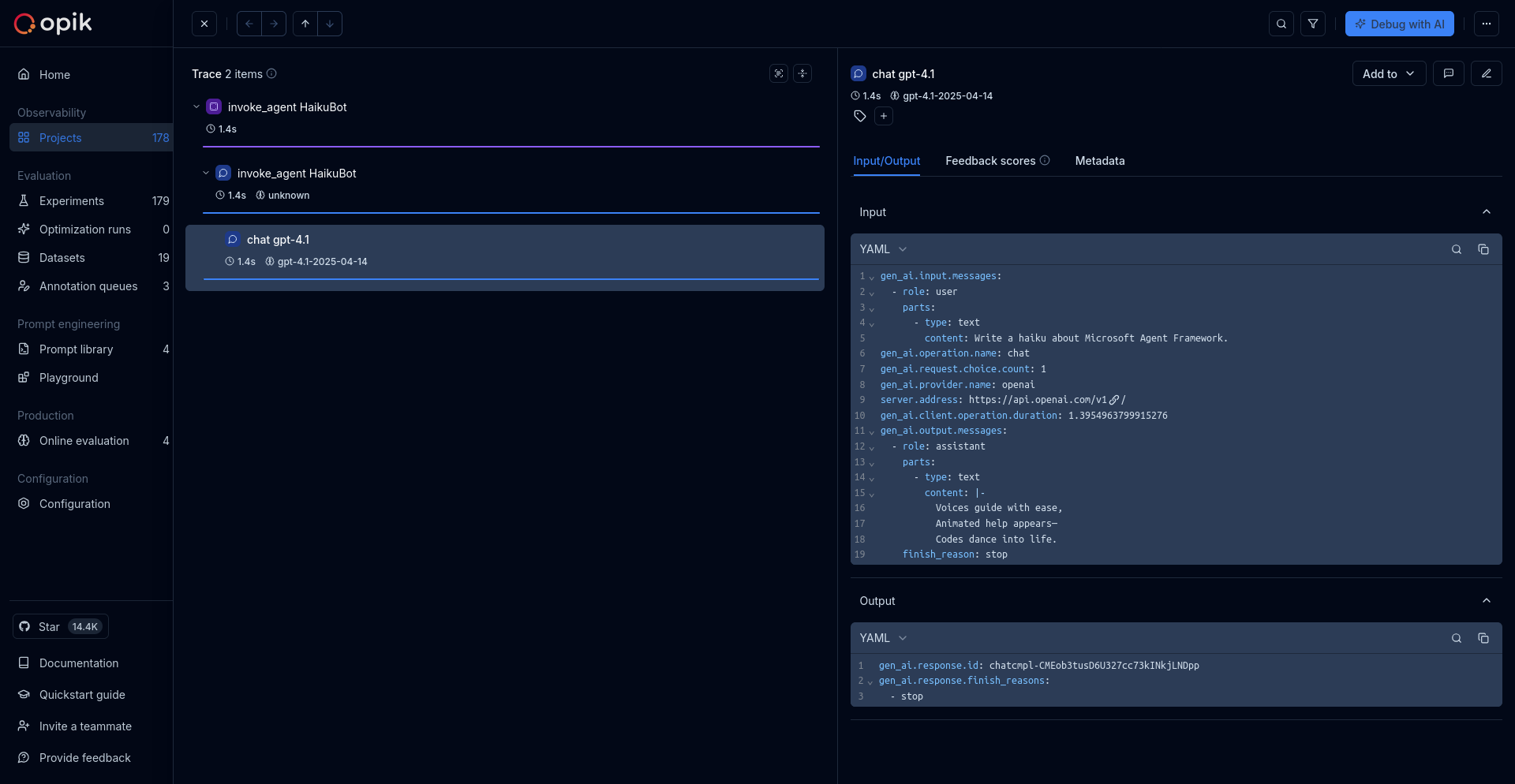
Section titled “Using Opik with Microsoft Agent Framework”The Microsoft Agent Framework has built-in OpenTelemetry instrumentation. Once you've configured the environment variables above, you can start creating agents and their traces will automatically be sent to Opik:
import asyncio
import os

os.environ["ENABLE_OTEL"] = "True"
os.environ["ENABLE_SENSITIVE_DATA"] = "True"

from agent_framework.openai import OpenAIChatClient
from opentelemetry import trace
from opentelemetry.exporter.otlp.proto.http.trace_exporter import OTLPSpanExporter
from opentelemetry.sdk.resources import Resource
from opentelemetry.sdk.trace import TracerProvider
from opentelemetry.sdk.trace.export import BatchSpanProcessor


def setup_telemetry():
    """Configure OpenTelemetry with HTTP exporter"""
    # Create a resource with service name and other metadata
    resource = Resource.create(
        {
            "service.name": "agent-framework-demo",
            "service.version": "1.0.0",
            "deployment.environment": "development",
        }
    )

    # Create TracerProvider with the resource
    provider = TracerProvider(resource=resource)

    # Create BatchSpanProcessor with OTLPSpanExporter
    processor = BatchSpanProcessor(OTLPSpanExporter())
    provider.add_span_processor(processor)

    # Set the TracerProvider
    trace.set_tracer_provider(provider)

    tracer = trace.get_tracer(__name__)

    return tracer, provider


setup_telemetry()


async def main():
    # Initialize a chat agent with Azure OpenAI Responses
    agent = OpenAIChatClient(model_id="gpt-4.1").create_agent(
        name="HaikuBot",
        instructions="You are an upbeat assistant that writes beautifully.",
    )

    # This will automatically create a trace in Opik
    result = await agent.run("Write a haiku about Microsoft Agent Framework.")
    print(result)


asyncio.run(main())
The framework will automatically:
- Create traces for agent executions
- Log input prompts and outputs
- Track token usage and performance metrics
- Capture any errors or exceptions
Further improvements
Section titled “Further improvements”If you would like to see us improve this integration, simply open a new feature request on Github.