Observability for DSPy with Opik
DSPy is the framework for programming—rather than prompting—language models.
In this guide, we will showcase how to integrate Opik with DSPy so that all the DSPy calls are logged as traces in Opik.
Account Setup
Section titled “Account Setup”Comet provides a hosted version of the Opik platform, simply create an account and grab your API Key.
You can also run the Opik platform locally, see the installation guide for more information.
Getting Started
Section titled “Getting Started”Installation
Section titled “Installation”First, ensure you have both opik and dspy installed:
pip install opik dspyConfiguring Opik
Section titled “Configuring Opik”Configure the Opik Python SDK for your deployment type. See the Python SDK Configuration guide for detailed instructions on:
- CLI configuration:
opik configure - Code configuration:
opik.configure() - Self-hosted vs Cloud vs Enterprise setup
- Configuration files and environment variables
Configuring DSPy
Section titled “Configuring DSPy”In order to configure DSPy, you will need to have your LLM provider API key. For this example, we'll use OpenAI. You can find or create your OpenAI API Key in this page.
You can set it as an environment variable:
export OPENAI_API_KEY="YOUR_API_KEY"Or set it programmatically:
import os
import getpass

if "OPENAI_API_KEY" not in os.environ:
    os.environ["OPENAI_API_KEY"] = getpass.getpass("Enter your OpenAI API key: ")
Logging DSPy calls
Section titled “Logging DSPy calls”In order to log traces to Opik, you will need to set the opik callback:
import dspy
from opik.integrations.dspy.callback import OpikCallback

lm = dspy.LM("openai/gpt-4o-mini")

project_name = "DSPY"
opik_callback = OpikCallback(project_name=project_name, log_graph=True)

dspy.configure(lm=lm, callbacks=[opik_callback])

cot = dspy.ChainOfThought("question -> answer")
cot(question="What is the meaning of life?")
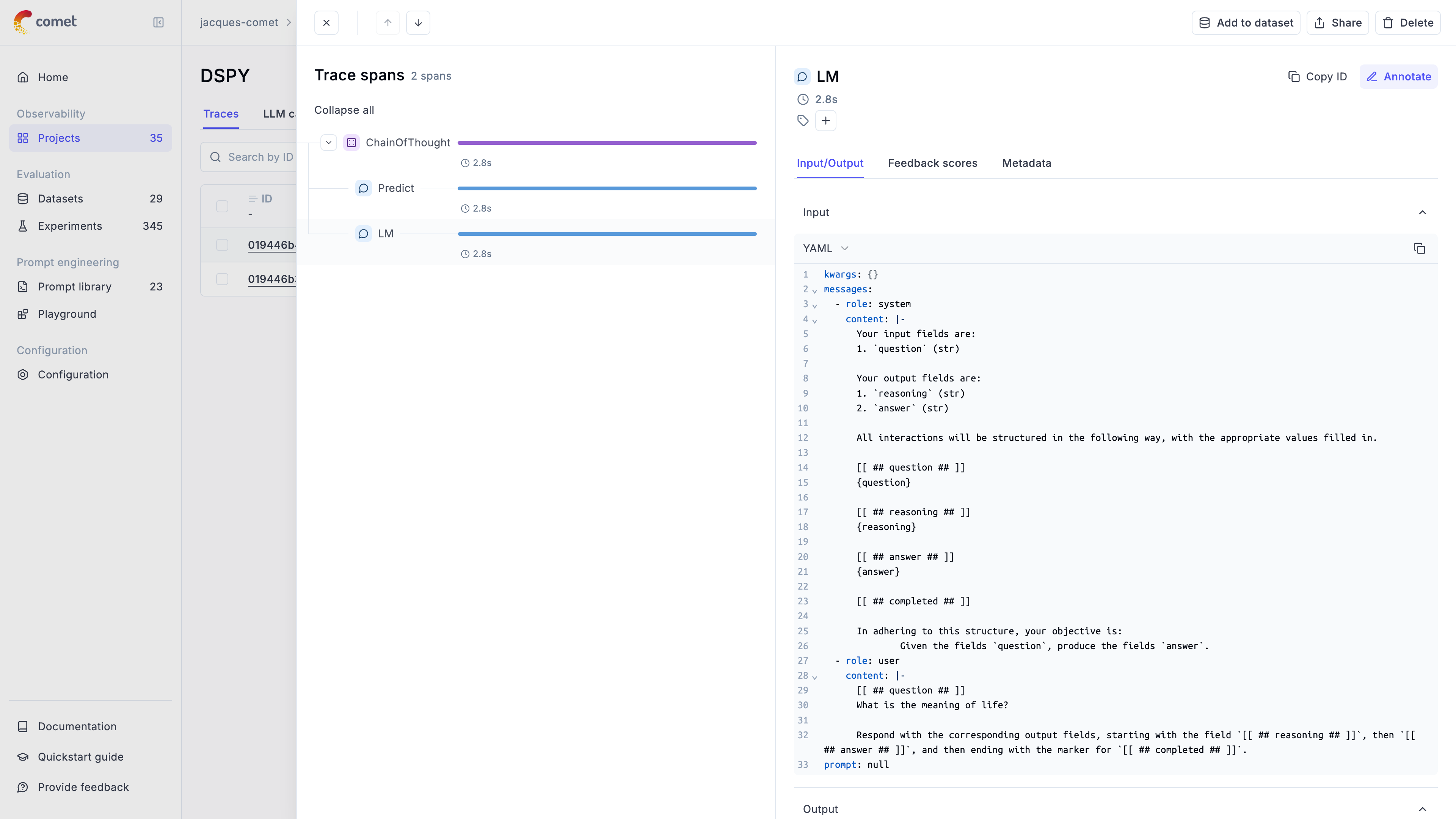
The trace is now logged to the Opik platform:
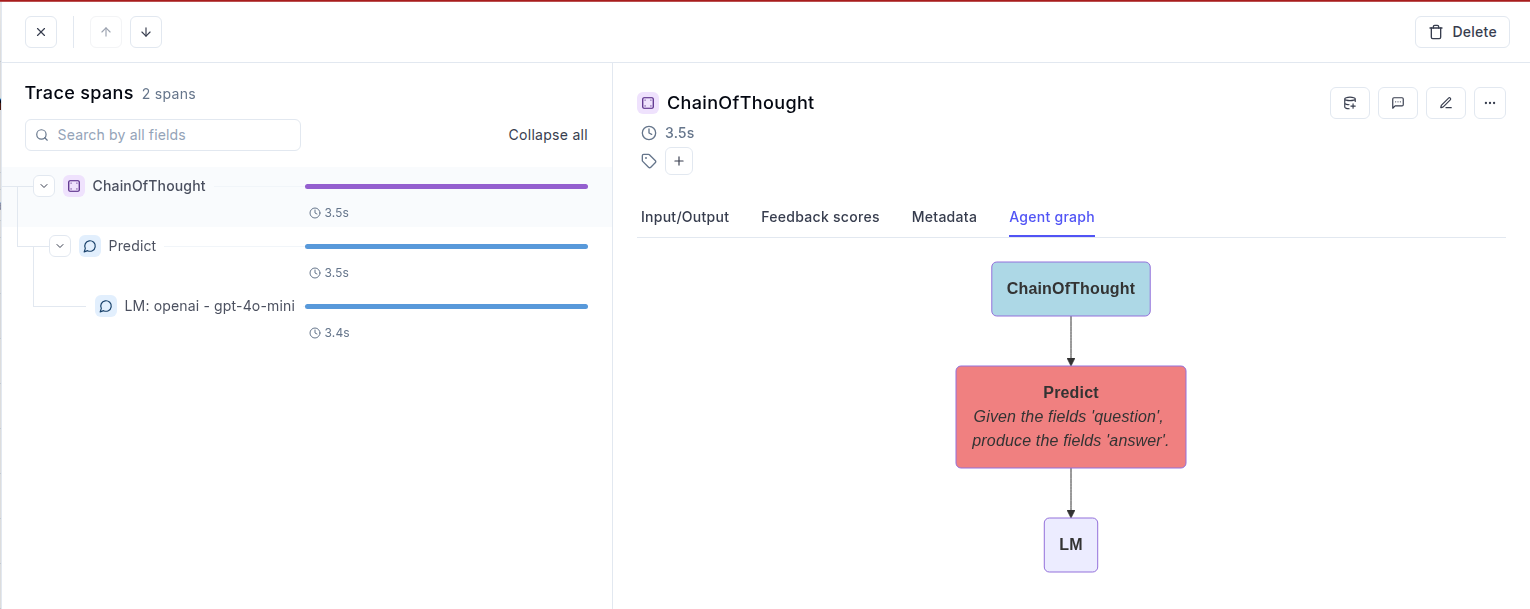
If you set log_graph to True in the OpikCallback, then each module graph is also displayed in the "Agent graph" tab: