
Observability for Agno with Opik
Agno is a lightweight, high-performance library for building AI agents.
Agno's primary advantage is its minimal overhead and efficient execution, making it ideal for production environments where performance is critical while maintaining simplicity in agent development.
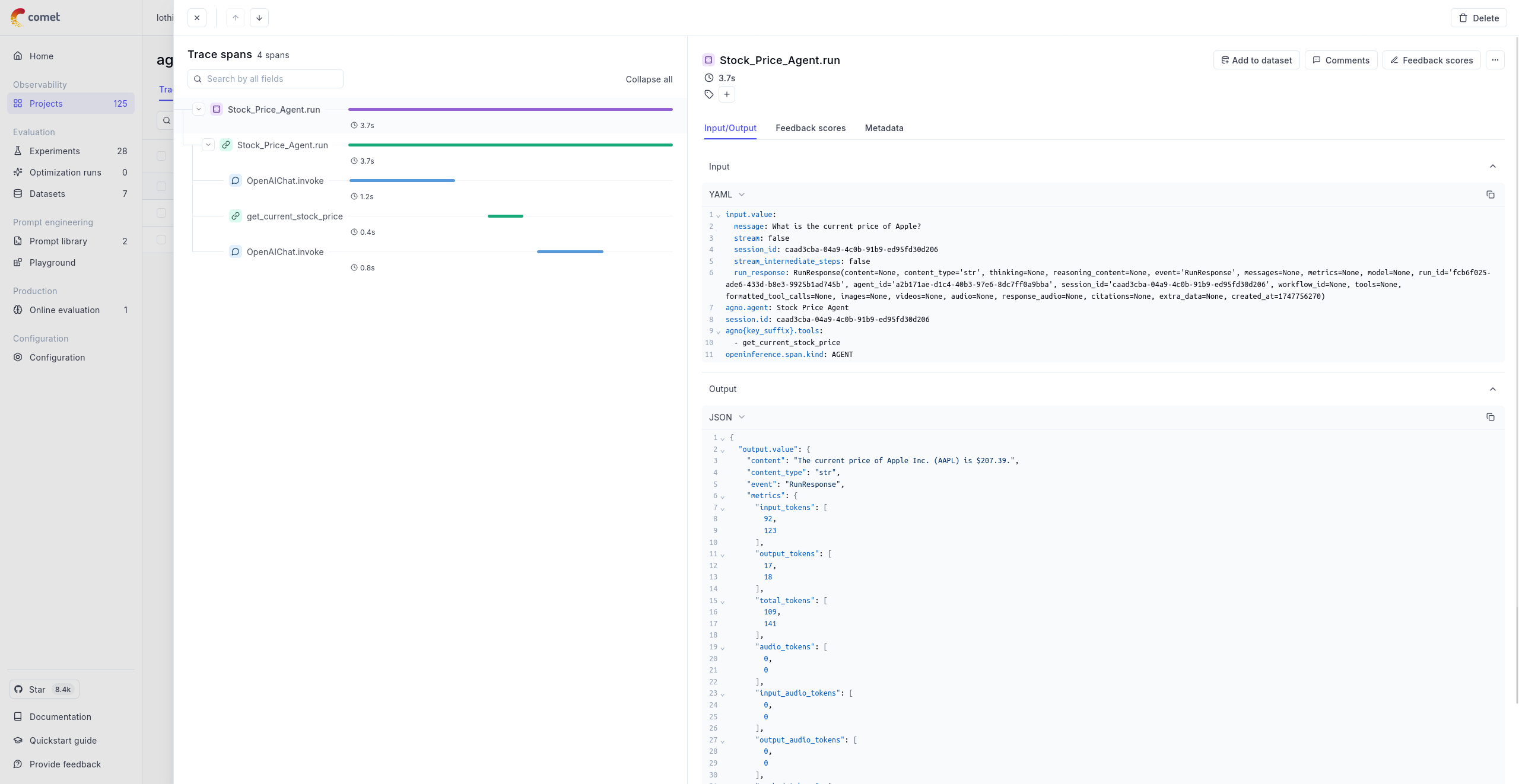
Getting started
Section titled “Getting started”To use the Agno integration with Opik, you will need to have the following packages installed:
pip install -U agno openai opentelemetry-sdk opentelemetry-exporter-otlp openinference-instrumentation-agno yfinanceIn addition, you will need to set the following environment variables to configure the OpenTelemetry integration:
If you are using Opik Cloud, you will need to set the following environment variables:
export OTEL_EXPORTER_OTLP_ENDPOINT=https://www.comet.com/opik/api/v1/private/otel
export OTEL_EXPORTER_OTLP_HEADERS='Authorization=<your-api-key>,Comet-Workspace=default'If you are using an Enterprise deployment of Opik, you will need to set the following environment variables:
export OTEL_EXPORTER_OTLP_ENDPOINT=https://<comet-deployment-url>/opik/api/v1/private/otel
export OTEL_EXPORTER_OTLP_HEADERS='Authorization=<your-api-key>,Comet-Workspace=default'If you are self-hosting Opik, you will need to set the following environment variables:
export OTEL_EXPORTER_OTLP_ENDPOINT=http://localhost:5173/api/v1/private/otelUsing Opik with Agno
Section titled “Using Opik with Agno”The example below shows how to use the Agno integration with Opik:
from agno.agent import Agent
from agno.models.openai import OpenAIChat
from agno.tools.yfinance import YFinanceTools
from openinference.instrumentation.agno import AgnoInstrumentor
from opentelemetry import trace as trace_api
from opentelemetry.exporter.otlp.proto.http.trace_exporter import OTLPSpanExporter
from opentelemetry.sdk.trace import TracerProvider
from opentelemetry.sdk.trace.export import SimpleSpanProcessor

# Configure the tracer provider
tracer_provider = TracerProvider()
tracer_provider.add_span_processor(SimpleSpanProcessor(OTLPSpanExporter()))
trace_api.set_tracer_provider(tracer_provider=tracer_provider)

# Start instrumenting agno
AgnoInstrumentor().instrument()

# Create and configure the agent
agent = Agent(
    name="Stock Price Agent",
    model=OpenAIChat(id="gpt-4o-mini"),
    tools=[YFinanceTools()],
    instructions="You are a stock price agent. Answer questions in the style of a stock analyst.",
    debug_mode=True,
)

# Use the agent
agent.print_response("What is the current price of Apple?")
Further improvements
Section titled “Further improvements”If you would like to see us improve this integration, simply open a new feature request on Github.